
My ruggers & tracker
Your bot's trackers on a big screen, with their results, and an editor that saves straight to the bot.
My ruggers
Rugger › My ruggers shows the same trackers as the bot's Ruggers menu: address, wallet, triggers, PnL, win rate, open positions. Filter by Buying or Alerts only.
The tracker editor
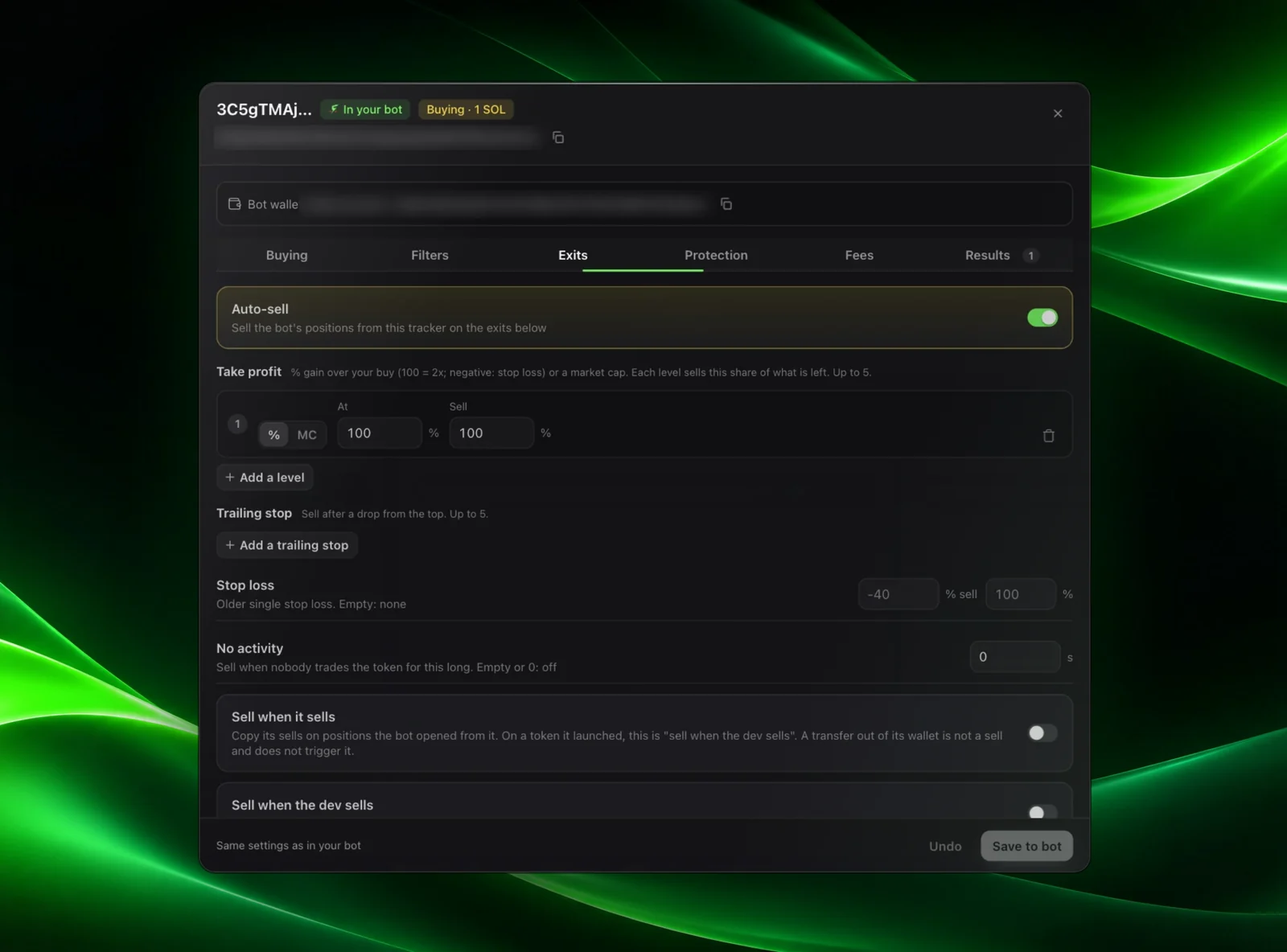
Settings and results opens the editor. Each tab maps to a page of the bot.
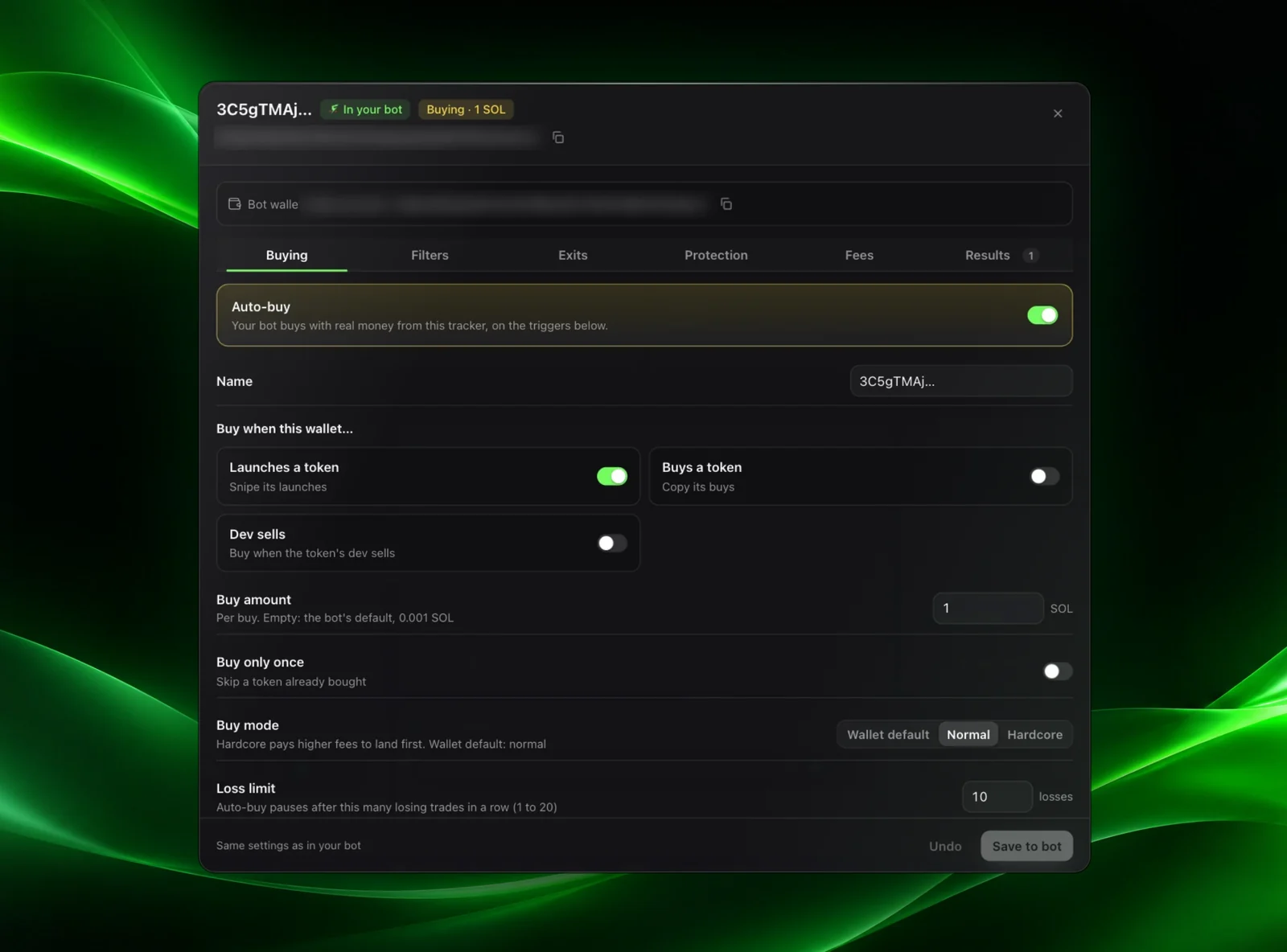
| Tab | Settings | Bot page |
|---|---|---|
| Buying | Triggers (launches, buys, dev sells), amount, buy once, Simple/Hardcore, loss limit, buy the dip. | Buy config |
| Filters | Market cap range, snipe delay, max token age, cooldown, launch gap, venues. | Buy config |
| Exits | Up to 5 TPs, trailing, stop, no activity, copied sells, timed exit, big buy, front-run. | Sell config |
| Protection | Mode, transfer ranges, keep address, fresh wallets, spider scheme, funding delay, removal rules. | Rugger Protection |
| Fees | Buy and sell priority and tip. | Buy config |
| Results | Realised PnL, win rate, trades with exit reason. | — |
When a change turns buying on or touches a buy setting, a red confirmation shows the wallet and the SOL per buy. Changes that touch money ask for your password code.
Copy groups
A group gathers up to 100 wallets that often buy the same tokens. With K of N, your bot buys once, when the K-th different member buys. 5 groups per bot wallet; they share the tracker slots.
The wallet tracker
The Tracker (T) follows any wallet with live alerts, a Monitor of what they hold, and optional copy. Import lists from  Axiom, Trojan or F Project as JSON. Turn on First buy only to cut most of the noise.
One engine per wallet. If your bot already buys a wallet, web copy is refused so you never buy twice. And never copy several wallets of the same operator.