
Portfolio & PnL cards
Your positions, your day-by-day PnL, and what to fix. Shortcut P.
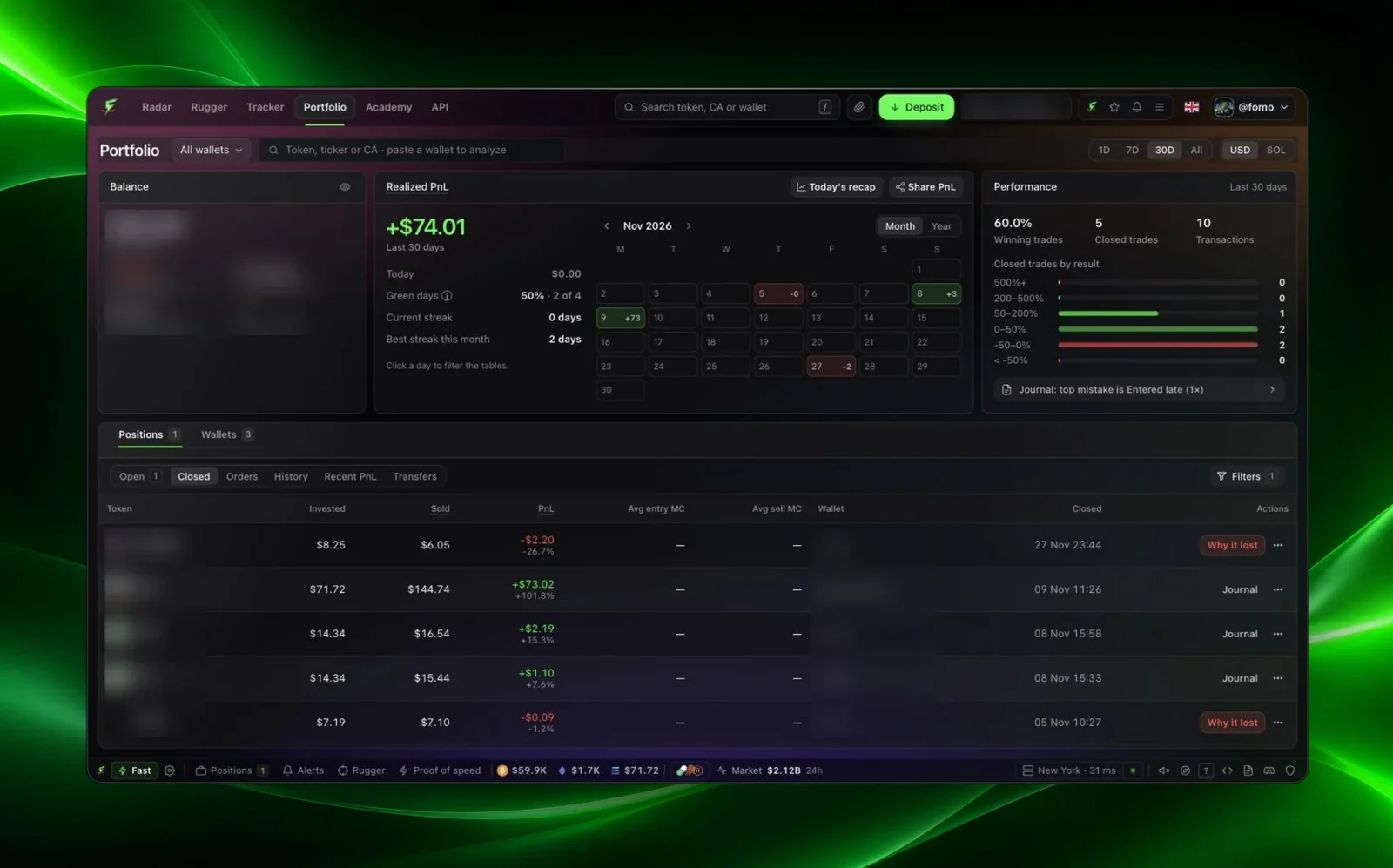
The top strip
- Balance: total value, unrealised PnL, tradable balance. The eye hides amounts before a screenshot.
- Realised PnL: over the period and today, green days, current streak, and a calendar. Click a day to filter every table.
- Performance: % of winning trades and closed trades by result.
Positions
| Tab | Shows |
|---|---|
| Open | Bought, sold, remaining, PnL, entry → current market cap. Sell 100%. |
| Closed | Invested, sold, PnL, average entry and exit. Why it lost on losses. |
| Orders | Limit, DCA and event orders. |
| History | Every transaction with its status and Solscan link. |
| Transfers | SOL and token ins and outs. |
The journal: why it lost
On a losing trade, Why it lost detects common reasons (entered late, TP too high, size too small for fees) and lets you tag it: rugger changed pattern, dumped in dev slot, good read… The strip then tells you your most frequent mistake.
"One losing trade read well teaches you more than ten winners." Every week: 7D period, read the calendar, open the journal.
Today's recap
A Day or Week summary: realised PnL, trades, Block 0 fills, best and worst trade, and your most frequent mistake. Turn it into a card in one click.
PnL cards
Share an image or video card of a trade from the token page, the Portfolio or the recap. Templates: F Project, Pepe (wins and losses), Styles, Classic, or your own photo. Choose what shows (username, amounts or just %, entry and exit), then copy, download, or export an 8-second video.