
The hunt, step by step
Finding a rugger by hand means hours on block explorers. The Rugger page turns it into five short steps, from a live launch to a tracker in your bot.
Why it is different
A rugger changes wallets on every launch, but their habits stay the same: the same exchange and the same amount to fund the dev, the same number of wallets in Block 0, the same SOL spent. F Project reads those habits on every launch, for you, and turns them into something your bot can follow.
Five steps, one page
Spot a prepared launch
Radar filters keep only the launches funded and bundled like your target. The Finder lists the launches of the last 30 minutes that look set up, and the wallets that keep buying inside bundles.
Read the launch
The Token page shows who bought in Block 0, who funded the dev, the dev's past launches, and how many launches this week share the same Block 0. The Wallet and Token tabs dig deeper.
Prove it is a pattern
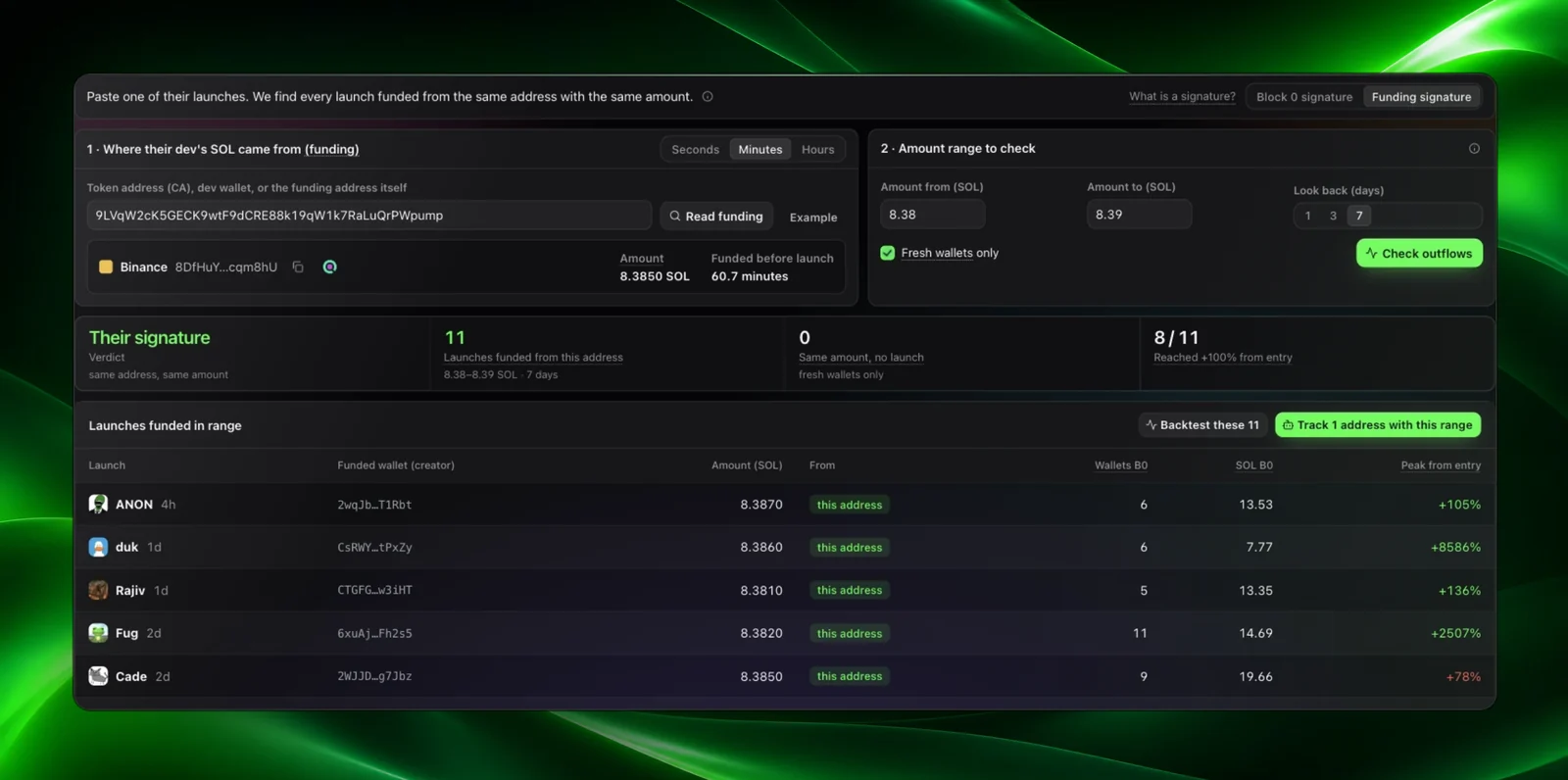
Signatures finds every launch of the last 7 days with the same first block or the same funding, and tells you how many reached +100% from your entry.
Test it with your settings
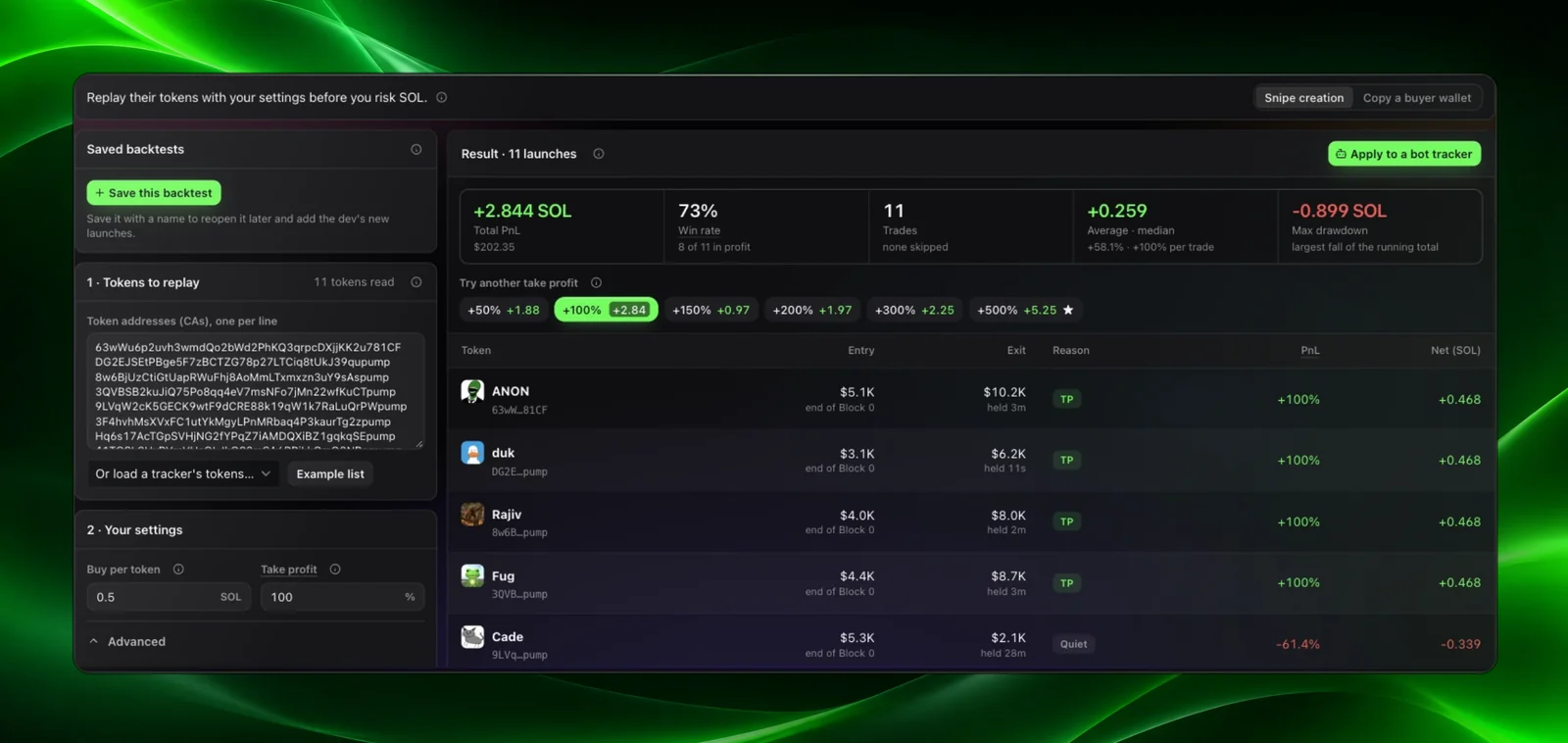
The Backtest replays those launches with your size and take profit, fees counted, and compares six take-profit levels in one click.
Hand it to your bot
Track the address with its range, apply the backtest to a tracker, and keep following wallet changes with Rugger Protection. Results land in My ruggers.
A real run, in five minutes
One launch, funded by  Binance with 8.385 SOL, 60.7 minutes before its creation. The funding signature found 11 launches funded from the same address with 8.38 to 8.39 SOL over 7 days, and none with that amount that did not launch: a clean signature. 8 of 11 reached +100% from the entry.
The backtest of those 11 launches, at 0.5 SOL per token and a take profit at +100%, came out at +2.84 SOL with 73% of trades in profit, fees counted. One click more compared +50% to +500%.
A backtest replays the past. It does not promise the next launch: rugger habits change. Start small, and watch your results in My ruggers.
The Rugger page
| Tab | What you do there | Page |
|---|---|---|
| My ruggers | Your bot's trackers, their results, and the editor. | My ruggers & tracker |
| Finder | Spot prepared launches and bundle wallets. | Finder |
| Signatures | Read a rugger's Block 0 or funding signature. | Signatures |
| Backtest | Replay their tokens with your size and TP. | Backtest |
| Wallet | See if a wallet behaves like a rugger. | Wallet & Token analysis |
| Token | See who bought first in a launch, and who funded them. | Wallet & Token analysis |
Ask the coach sits at the top of every tab. It reads the screen you are on and explains what you see. The Academy, levels 2 to 4, follows these tabs exactly: do it once with a real rugger.