
Radar
Every  Solana launch, live, in three columns. Filter, read a card in two seconds, buy in one click.
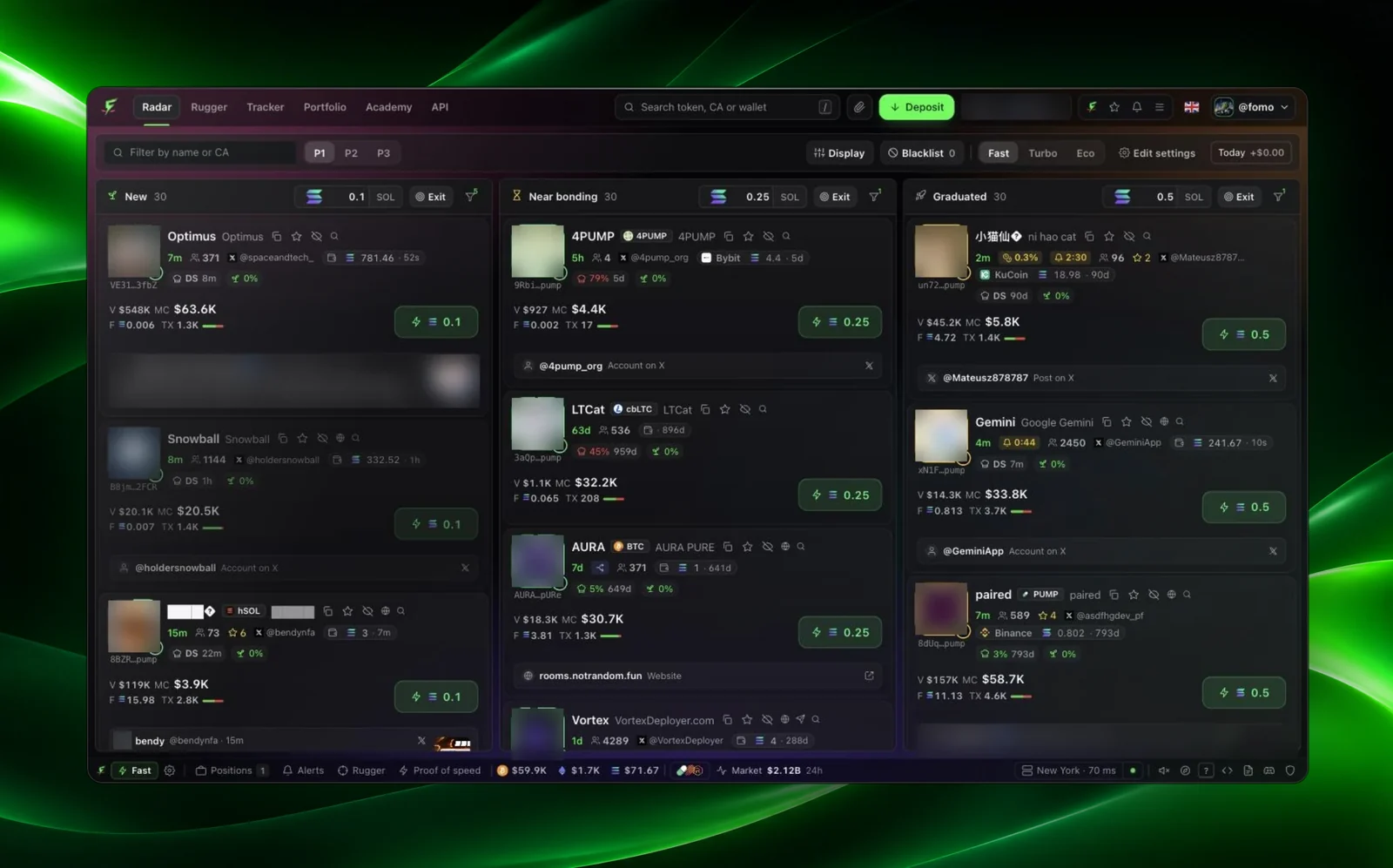
The three columns
| Column | Holds |
|---|---|
| New | Freshly created tokens, newest on top. |
| Near bonding | Tokens close to the end of their curve, and those migrating. |
| Graduated | Tokens that moved to their DEX pool. Age = time since migration. |
Hover a column and it freezes ("Paused · n new"), so cards never jump under your mouse.
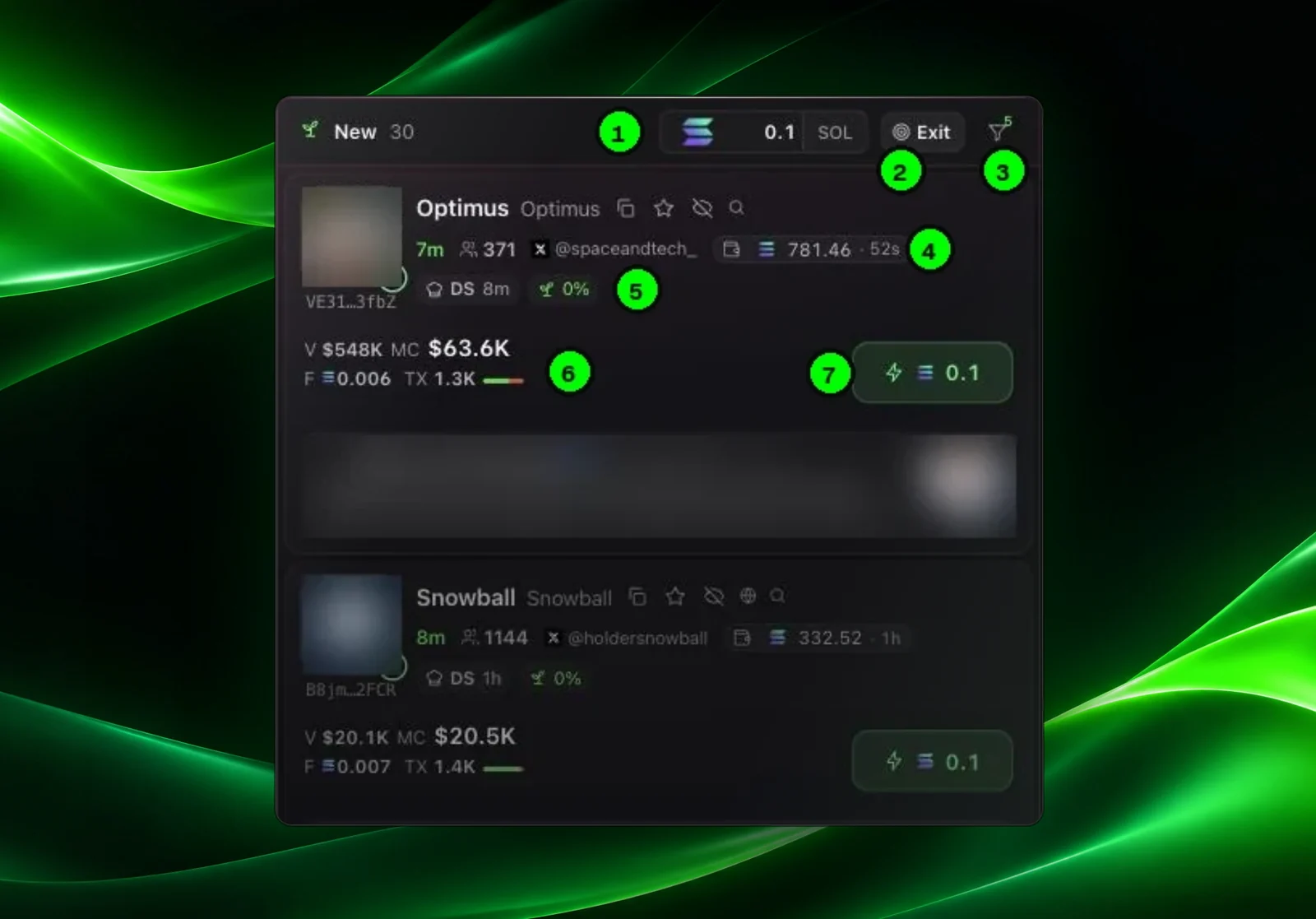
- 1Size of every one-click buy from this column.
- 2Exit: TP/SL applied to those buys.
- 3Filters for this column only.
- 4Dev funding: source, SOL amount, time before launch.
- 5Audit pills: dev, snipers, insiders, bundlers…
- 6Volume, market cap, fees, transactions.
- 7Quick buy, no confirmation.
Read a card in two seconds
The Academy method: age and holders → dev funding and bundle share → volume, market cap and fees.
| Item | Meaning |
|---|---|
| Funding pill | Who funded the dev (exchange, mixer, wallet), how much, how long before launch. |
| Audit pills | Top 10, Dev, Snipers, Insiders, Bundlers, Fresh, as % of supply. Red above your thresholds. |
| V · MC · F | Volume, market cap, fees paid. |
| Eye | F Project members watching this token right now. |
| Chef hat / Crown | Tokens the dev created / how many migrated. |
Big volume with tiny fees is usually a faked chart. Fees are the real measure of activity.
Buy from the Radar
- Quick buy (lightning button) buys the column's size on all your active wallets, with the column's exit strategy. Default sizes: 0.1 / 0.25 / 0.5 SOL.
- P1 / P2 / P3 set the three columns at once.
- Exit sets the TP/SL applied to every one-click buy from that column.
- Snipe migration arms a server order that buys the first trade on the new
 PumpSwap pool, even with the browser closed.
Quick buy, Ultra and Snipe migration send without confirmation. Start small. Hide buy buttons in Display removes them all.
Filters
Each column has its own filters: 26 launchpads, audit limits, snipers, metrics, dev history, social signals and, above all, funding: which exchange funded the dev, how much, how long before the launch. See Radar filters.
Blacklist and display
Blacklist hides a dev, a contract, a keyword or an X link for good. Display sets card size, which items show, colours and sounds, with a live preview.