
Signatures
A rugger changes wallets on every launch, but their first block and their funding repeat. Paste one of their tokens: F Project finds every launch of the last 7 days that looks the same, and tells you whether it pays.
What a signature is
What a rugger repeats on every launch, even when they change wallets. For example: always 6 to 7 buyers and about 10 SOL in Block 0, or always 1.994 SOL sent from the same exchange address. One token is enough to start; three or more is a real signature.
The entry used everywhere here is the market cap at the end of Block 0, the first candle.
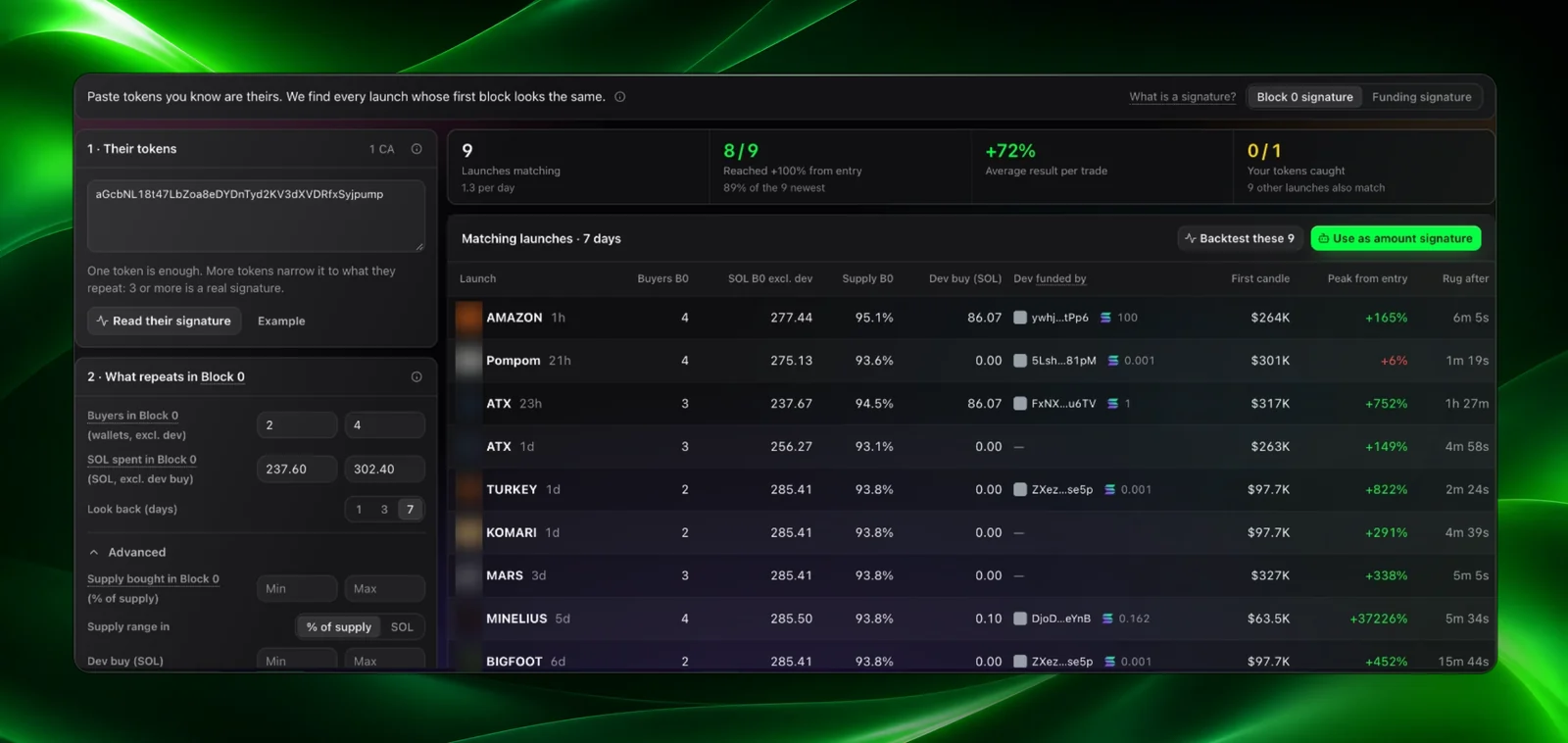
Paste their tokens and click Read their signature. The terminal fills in what repeats in Block 0: buyers (wallets, dev excluded), SOL spent (dev buy excluded), and the period (1, 3 or 7 days). Advanced: supply bought in Block 0 (% or SOL), dev buy, launchpad.
You get the matching launches (and how many per day), how many reached +100% from entry, the average result per trade, and how many of your tokens were caught. Each row shows the Block 0 buyers and SOL, the supply bought, the dev buy and who funded the dev, the first candle, the peak from entry and how fast it rugged.
Backtest these sends the launches to the Backtest. Use as amount signature prepares an Amount Signature for your bot.
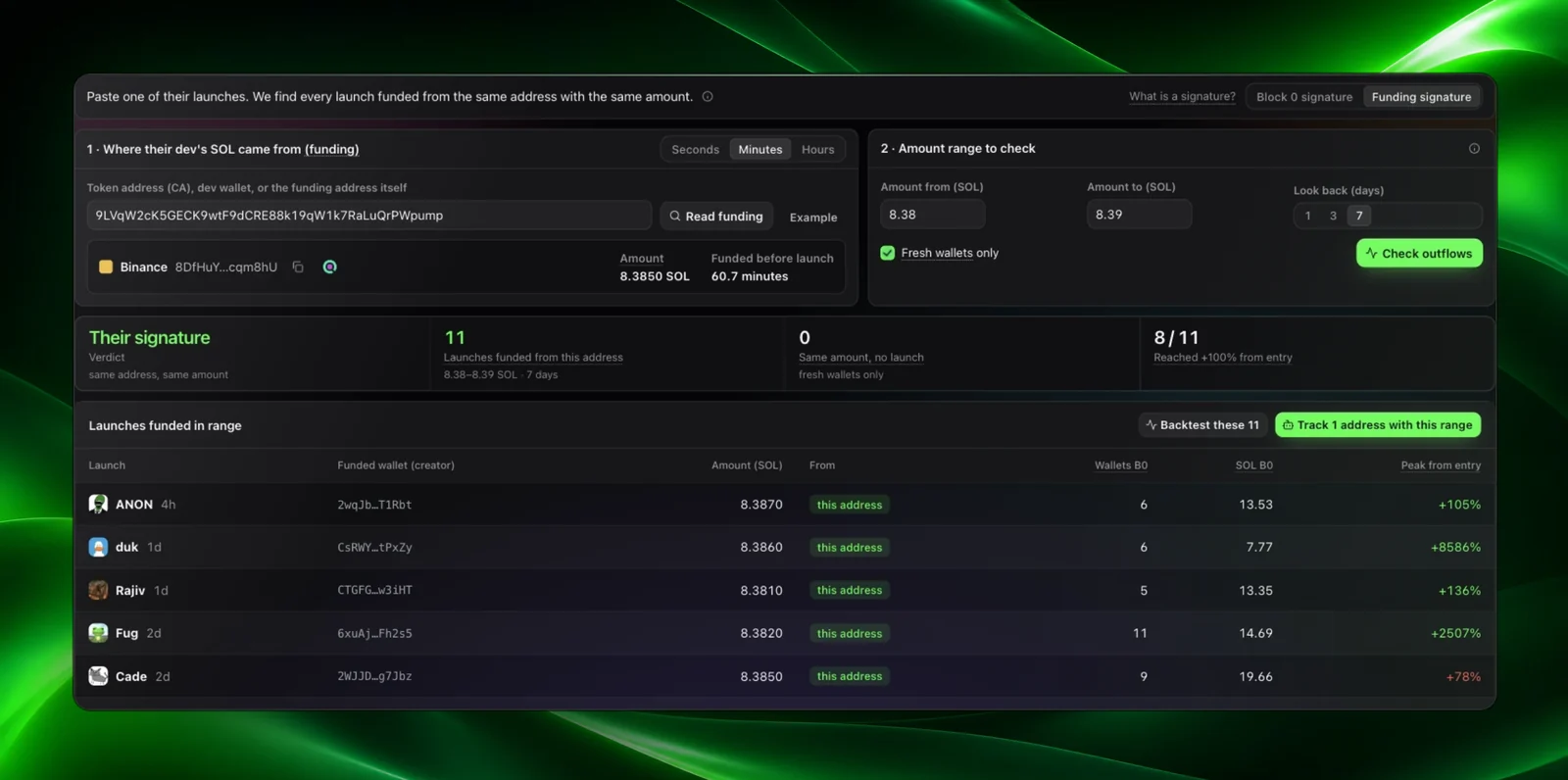
Paste a token, the dev wallet or the funding address, then Read funding: the source (for example  Binance), the amount and how long before the launch. Set the amount range, keep Fresh wallets only, pick the period, and Check outflows.
The verdict reads: Their signature (same address, same amount), the launches funded from this address in the range, the same amount sent without a launch, and how many reached +100% from entry.
Backtest these replays them. Track 1 address with this range adds the address and its range to your bot, alerts only, ready for Rugger Protection.
On an exchange, keep the range very tight: ±0.0001 SOL around their amount. A ±0.01 band on an exchange hot wallet catches hundreds of normal withdrawals.
Is the rule tight enough?
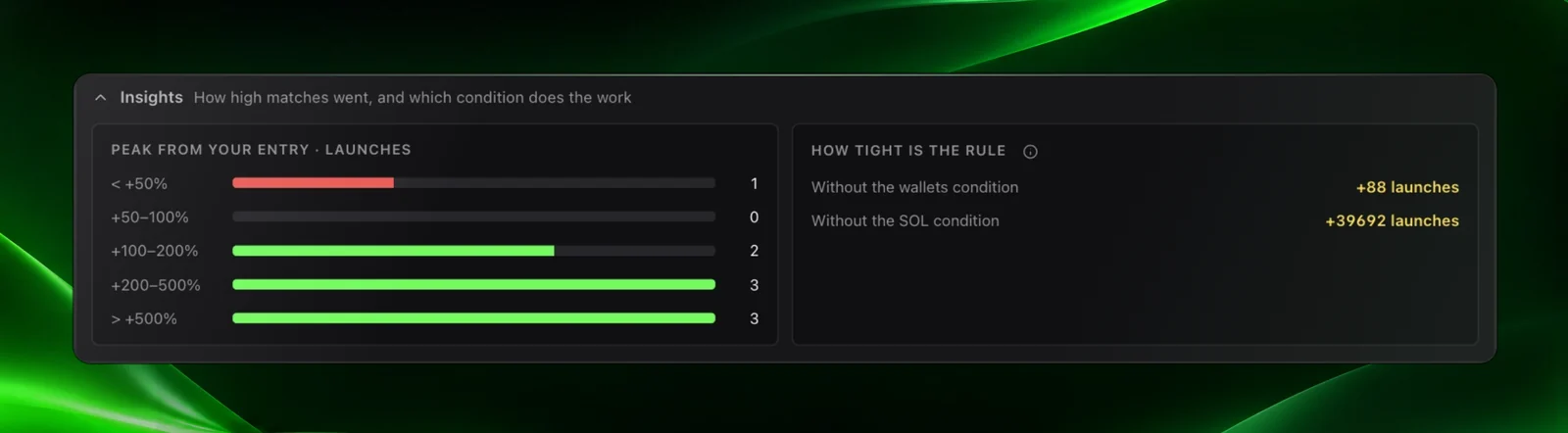
Insights shows how high the matching launches went from your entry, and how many launches each condition removes. A condition that adds hundreds of launches when you drop it is the one that makes the rule. A condition that adds nothing can go.
Next: replay them in the Backtest.