
Token page
One screen to decide: the chart, who bought in Block 0, who funded the dev, the dev's past launches, and whether this launch matches a known signature.
The four checks before you buy
- The bundle. How many wallets bought in the creation block, and how much they still hold.
- The dev's funding. Who funded them, how much, how long before.
- The dev's past launches. How many migrated, at what high.
- The signature. Does this launch look like others that paid?
Built to read ruggers
The right column does the reading for you.
The Block 0 signature, on the token itself
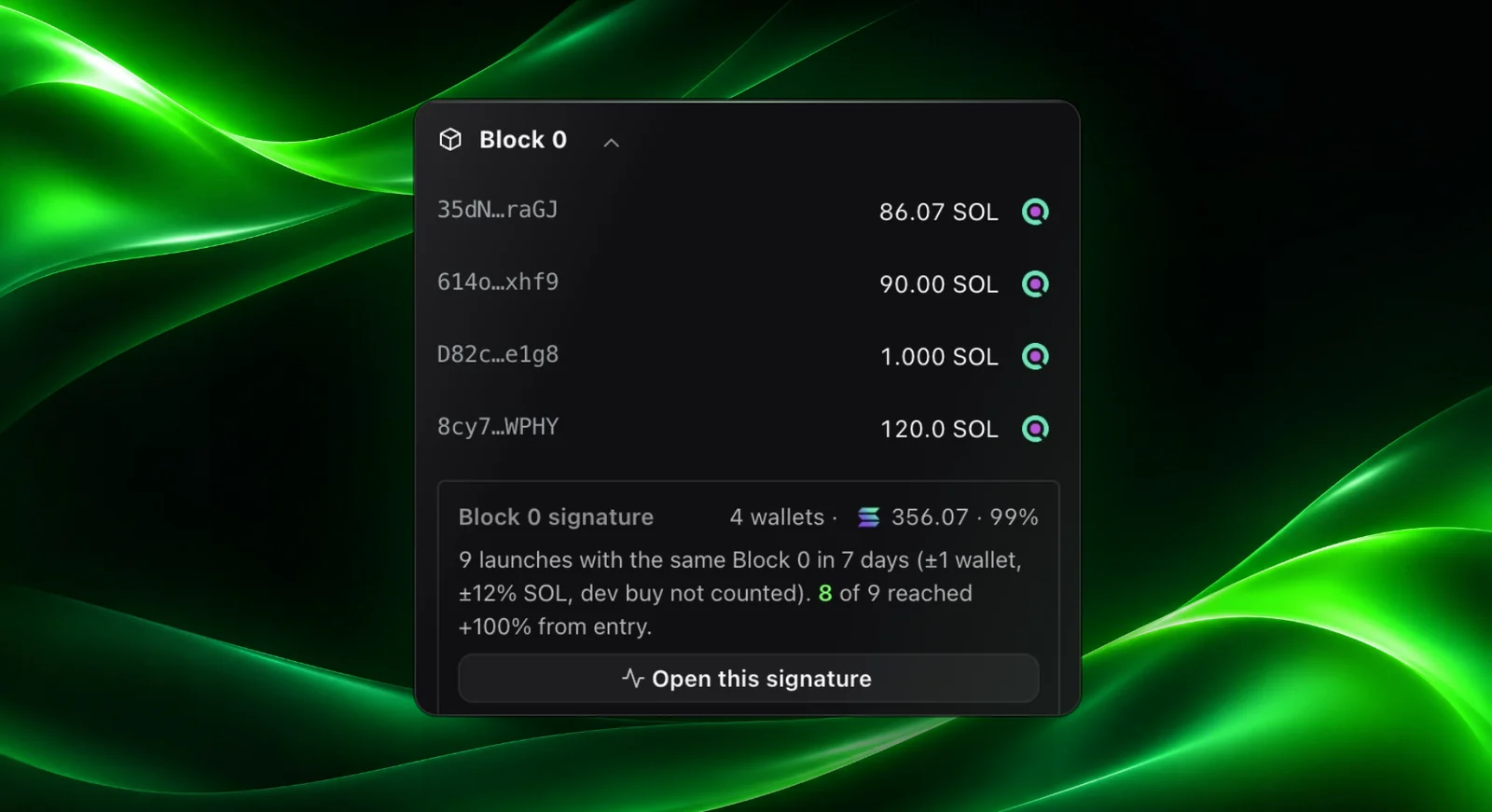
The Block 0 block lists the wallets that bought in the creation block, with their SOL. Below it, F Project counts the launches of the last 7 days with the same Block 0 (±1 wallet, ±12% of SOL, dev buy not counted) and how many reached +100% from entry. Open this signature takes you straight to Signatures with this token loaded.
The dev scanner
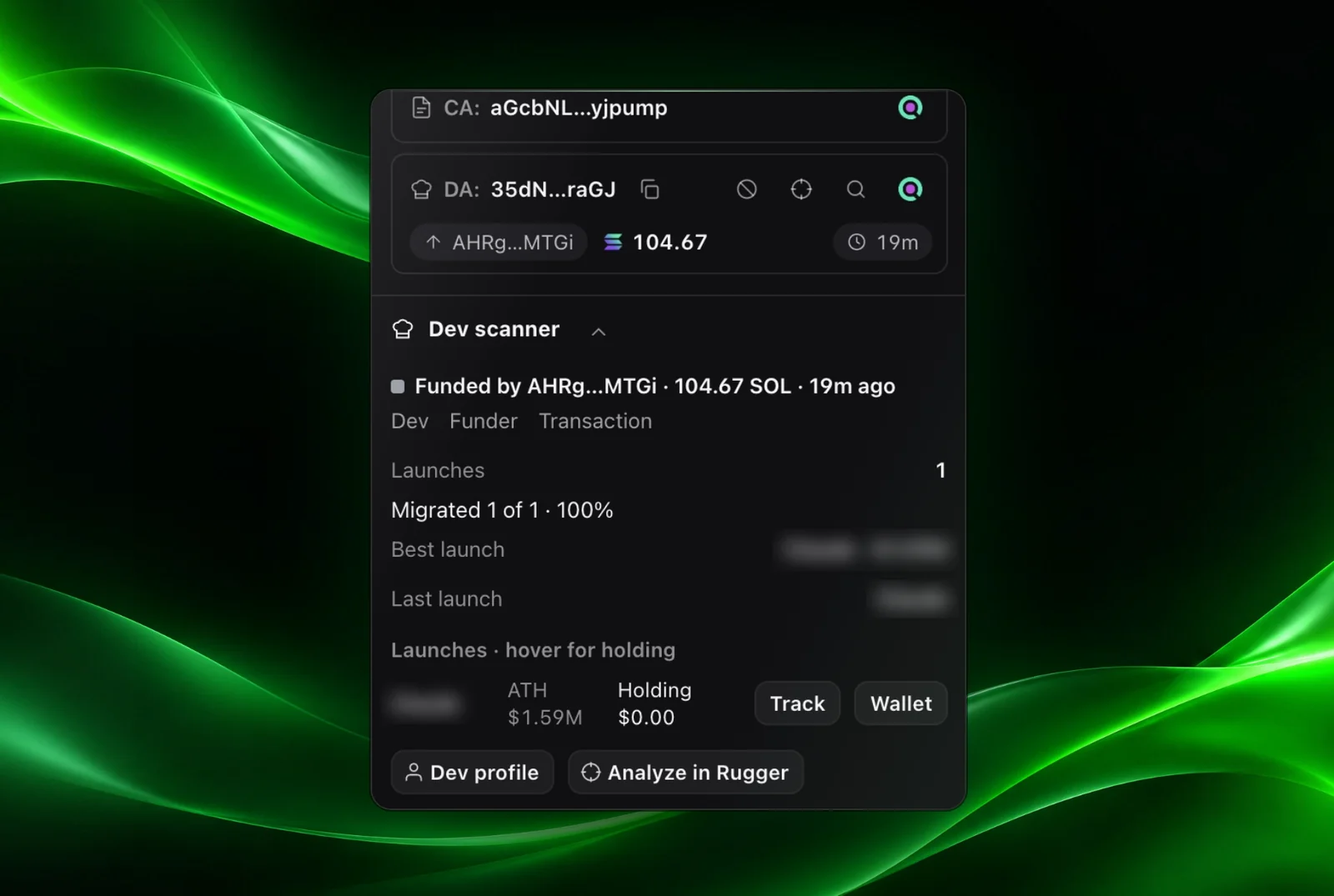
Who funded the dev (address, SOL, how long ago), how many tokens they launched and how many migrated, their best and last launch, and each past launch with its high and the dev's holding. Track or Wallet on any line, Dev profile, and Analyze in Rugger. The dev line also lets you blacklist the dev, track them, search them or open them in an explorer.
Token info
Top 10, dev holding, snipers, insiders, bundlers, Block 0 wallets, holders, first candle, dev migrations and dev funding, as tiles, plus mint authority, freeze authority and LP burnt. Below: holders, holder sizes, pool, your performance, social history and similar tokens.
The Bundles tab
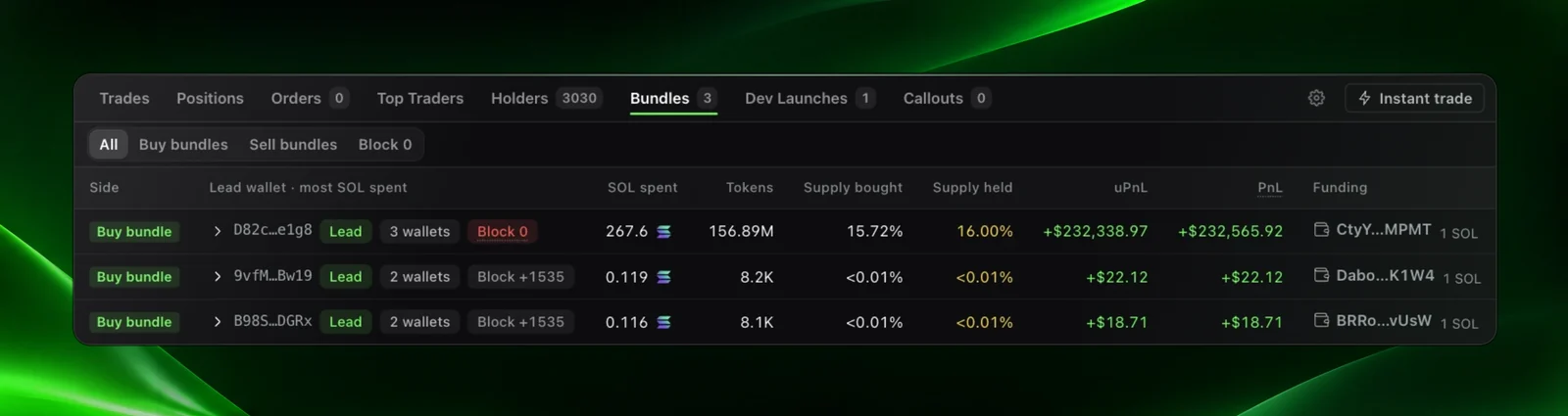
A bundle is several wallets buying or selling in the same slot: one operator. For each bundle: the lead wallet, how many wallets, the block (Block 0 or later), SOL spent, supply bought and still held, unrealised and realised PnL, and how each bundle was funded. Filter All, Buy bundles, Sell bundles or Block 0.
| Tab | Shows |
|---|---|
| Trades | Every trade live, filterable by type, size, funding, trader tag and app used. |
| Positions | Your positions on this token, per wallet, with landing block. |
| Orders | Your limit, DCA and event orders on this token. |
| Top traders / Holders | Realised PnL, hold time, % of supply, funding. |
| Dev launches | The dev's other tokens, best high first. |
| Callouts | Calls posted about this token. |
The chart
A full  TradingView chart with intervals from 1 second to 1 day.
- First candle jumps to the token's first candle.
- Replay launch plays the launch slot by slot.
- Display shows your entry, the average entry, the top-10 holders' average exit, and the floor.
- Bubbles mark trades by you, the dev, tracked wallets, bundles, snipers and KOLs; hide them in one click.
Your TP and SL show as lines you can drag. See Exits.
Buy from the token page
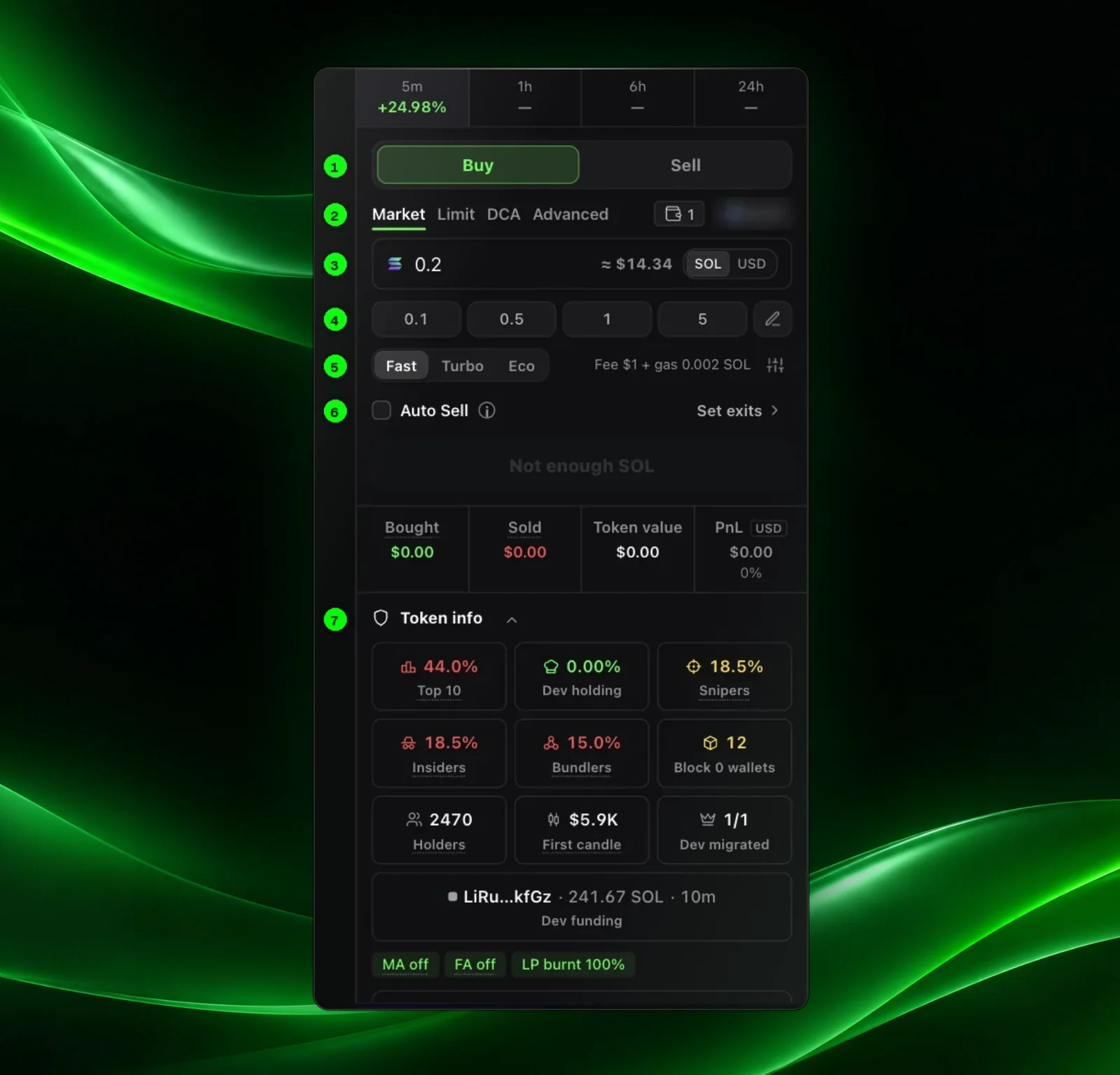
- 1Buy / Sell side.
- 2Order type: Market, Limit, DCA, Advanced.
- 3Amount in SOL or $.
- 4Quick amounts (also keys 1–4).
- 5Speed preset and fees for this trade.
- 6Auto Sell: exits armed as the buy lands.
- 7Token info: Top 10, dev, snipers, insiders, bundlers, Block 0.
See Buy & sell.