
Radar filters
Out of hundreds of launches an hour, show only the ones that look like your rugger: by launchpad, by who funded the dev, how much and how long before, by dev history and by what holds the supply.
Why filters matter
Hundreds of tokens launch every hour, and most of them are noise. A rugger repeats the same habits on every launch: the same exchange, the same amount, the same delay before creating. Radar filters turn those habits into a live view: only the launches that match stay on screen, and you see your rugger's next token the moment it appears.
Open them with the funnel icon at the top of a column. Each column (New, Near bonding, Graduated) has its own filters, and a counter at the bottom shows how many tokens match right now, before you apply.
Funding: the rugger's fingerprint
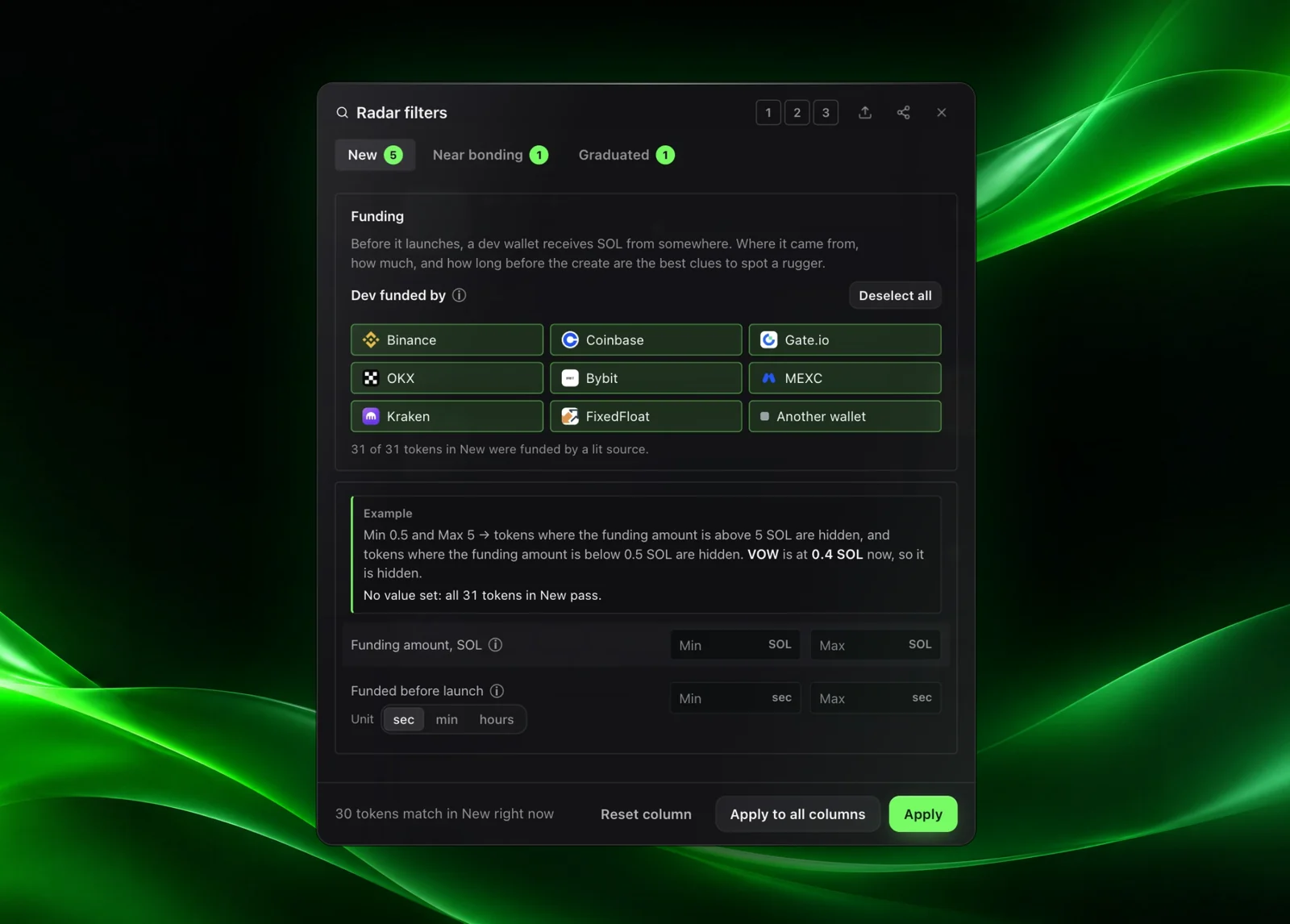
Before a launch, the dev wallet receives SOL from somewhere. Where it came from, how much and how long before the create are the best clues to spot a rugger.
| Filter | What you set |
|---|---|
| Dev funded by |  Binance,  Coinbase,  Gate.io,  OKX,  Bybit,  MEXC,  Kraken,  FixedFloat, or another wallet. Click to keep or hide each source. |
| Funding amount | A SOL range, for example 1.99 to 2.01. One exchange plus one exact amount is a signature. |
| Funded before launch | How long between the funding and the create, in seconds, minutes or hours. |
Read a rugger's signature in Signatures, then copy it into the Funding tab: exchange, amount range, delay. The New column now shows only launches funded like theirs.
Every other filter
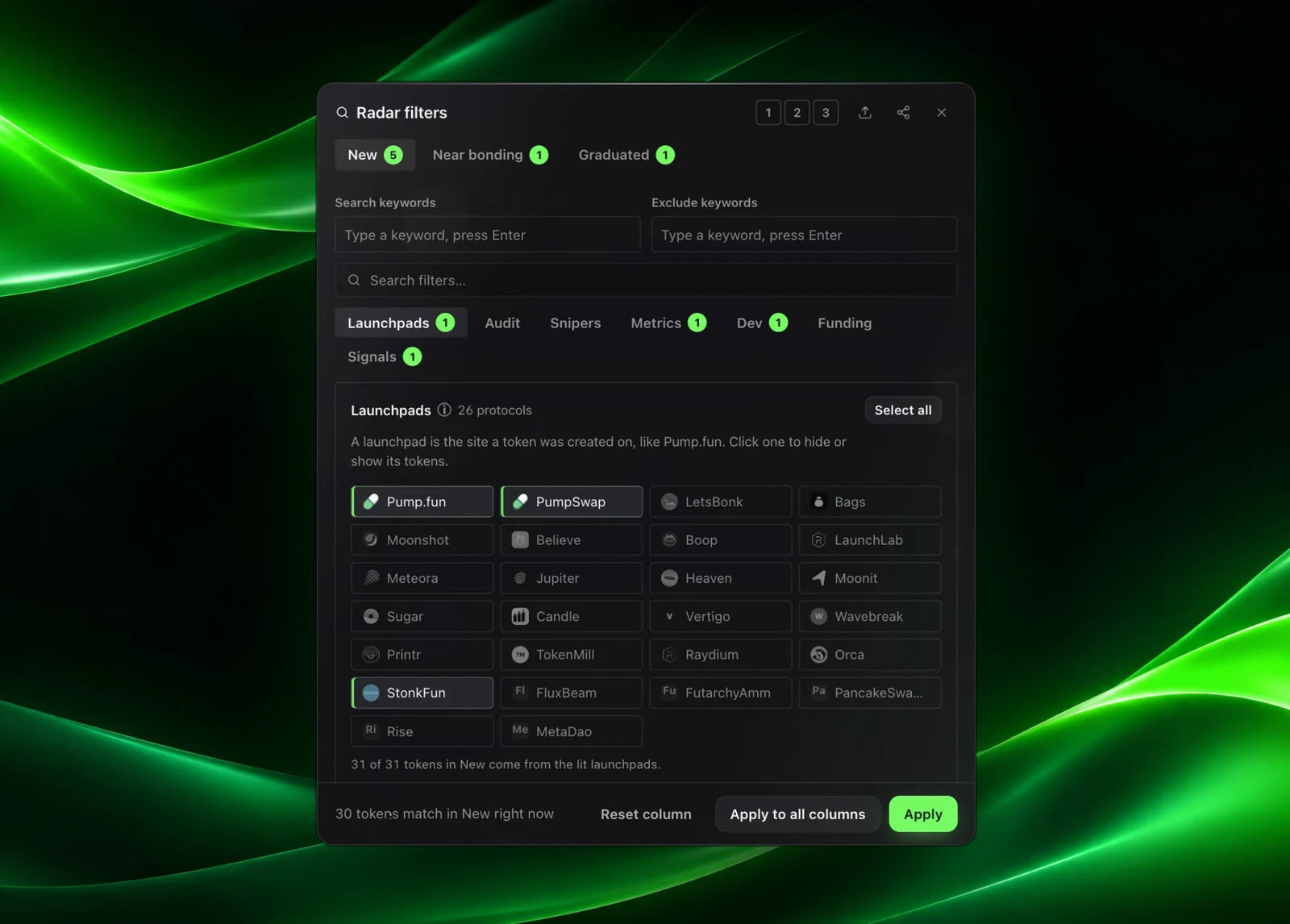
 Pump.fun,
 PumpSwap,
 LetsBonk, Bags,
 Moonshot, Believe, Boop, LaunchLab,
 Meteora,
 Jupiter,
 Raydium,
 StonkFun and more: 26 protocols. Click one to show or hide its tokens. You can also hide cashback tokens and off-chain tokens.
Who holds the supply. When a few wallets hold a lot, they can sell all at once. Set a maximum % for the top 10 holders, the dev, insiders and bundlers, and a range for the number of bundles at launch and of holders.
A sniper is a wallet, usually a bot, that buys in the first two blocks after the create. Set the maximum % of supply they may still hold.
Market cap, liquidity, volume (5 minutes, 1 hour, 24 hours), share of buys, bonding progress, fees paid, transactions, age, market cap of the first candle, and the biggest drop on one candle. Min, max or both.
The dev's history: how many tokens they created, their migration rate, and how many migrated at least.
Attention on the token: tracked KOLs who traded it, people watching it, and yes/no filters (X account,  Telegram, website, paid DEX profile, dev sold everything) set to All, Only or Hide. Plus what the token is paired with: SOL only or other tokens.
Add keywords to search for or to exclude, or search the filters by name.
Every filter explains itself
Each tab shows a live example on a real token from your column: "Set 30, and tokens where the top 10 holders own more than 30% are hidden. This token is at 7.5% now, so it stays." You see the effect of a value before you apply it.
Save, share, reuse
- Presets 1, 2, 3 save the current filters. P1, P2 and P3 at the top of the Radar switch all three columns at once.
- Apply to all columns copies one column's filters to the others. Reset column clears them.
- Export / share and Import move a filter set between devices or from one member to another.
Filters only change what you see. To buy automatically when a launch matches, add the rugger or the exchange to your bot. See Add a rugger and Rugger Protection.