
Backtest
Before you put money on a rugger, replay their tokens with your size and your take profit.
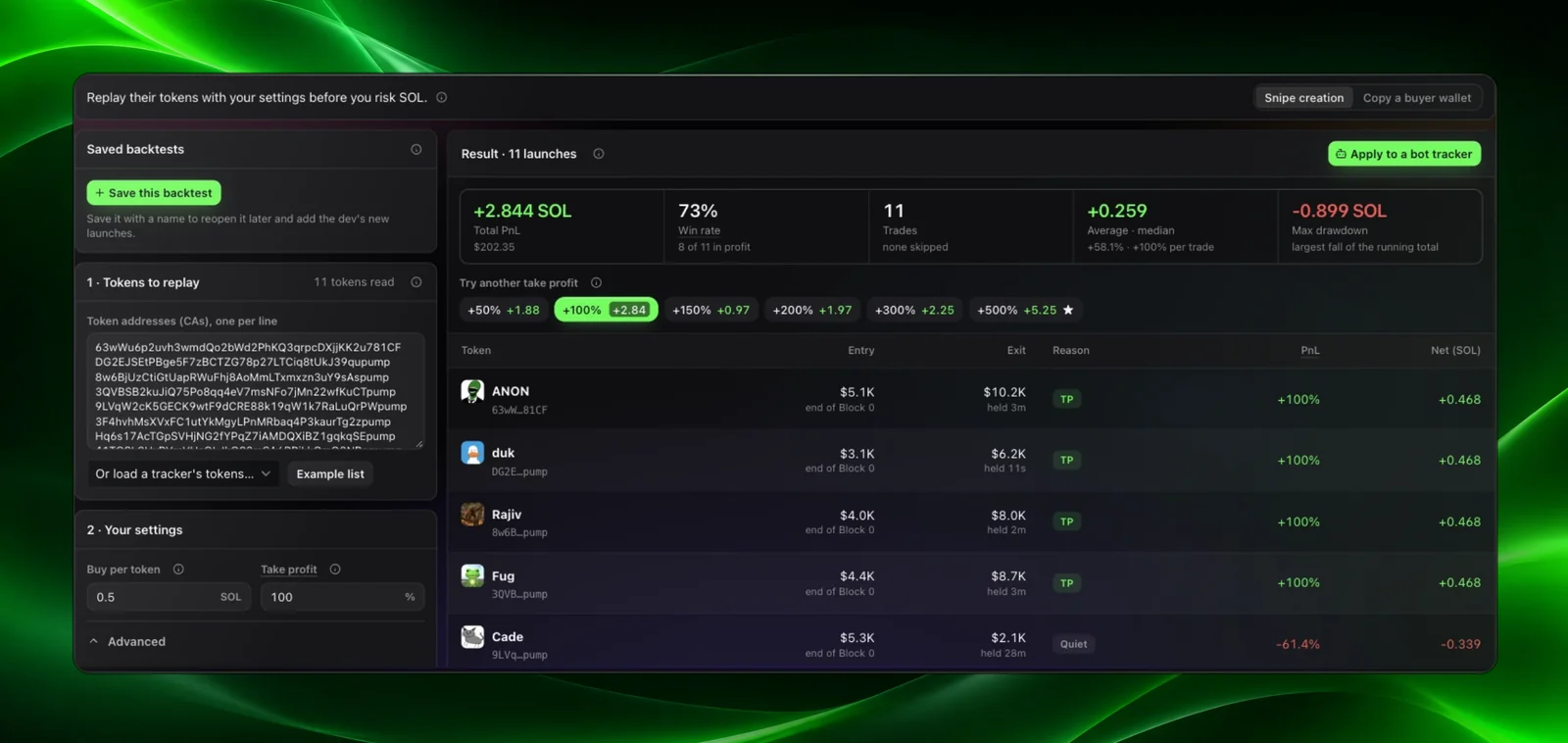
Run a backtest
Pick the mode
Snipe creation buys at the dev's launch. Copy a buyer wallet copies a wallet's buys.
Give it the tokens
Paste contract addresses (launches from the last 30 days), load a tracker's tokens, or paste a wallet to read its last buys.
Set your size and take profit
Buy per token (default 0.5 SOL) and take profit (default +100%). Fees are counted.
Add advanced rules if you want
Entry delay, market cap range, stop, sell if no trade (default 200 s), trailing stop.
Read the results
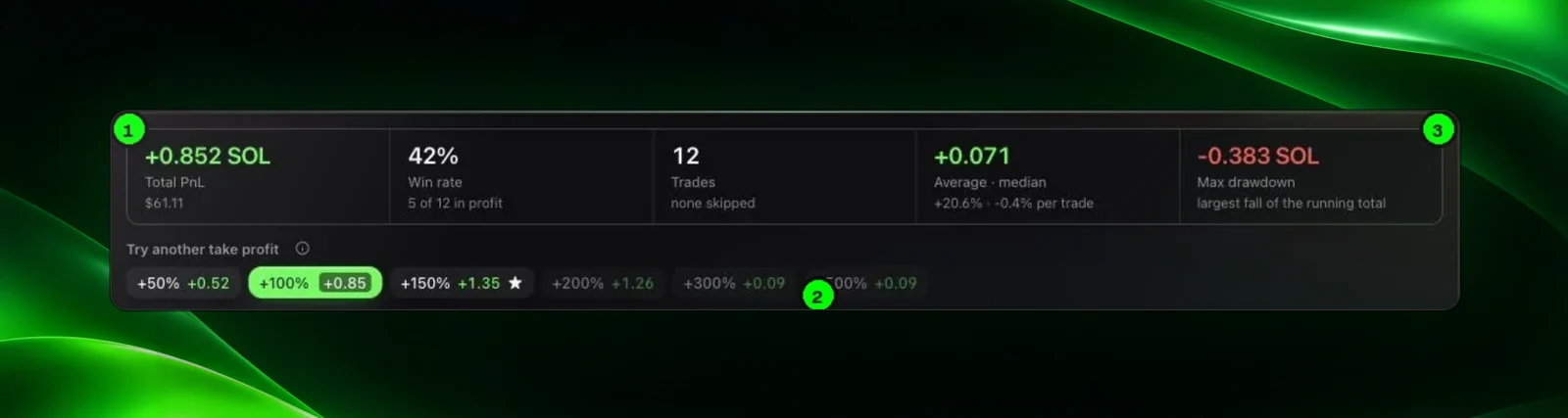
- 1Total PnL of the test, fees counted.
- 2Try another take profit: the star marks the best.
- 3Max drawdown: the largest fall of the running total.
- Total PnL, win rate, trades, average and median, max drawdown.
- Try another take profit reruns the same test at +50, 100, 150, 200, 300 and 500%. The star marks the best; greyed levels hit fewer than twice.
- Each token: entry, exit, reason (TP, SL, trailing, quiet, end), PnL.
- The minimum profitable buy: below it, fees make you lose.
The replay uses each launch's real market cap over 24 hours, in candles from 1 second. If a candle touches both your stop and your TP, the stop is counted: the backtest is conservative on purpose.
Save and update
Save up to 30 backtests of 120 tokens each, synced across your devices. In Snipe mode, follow up to 10 dev wallets: Update adds their new launches since last time.
Send it to your bot
Apply to a bot tracker copies the size and take profit you tested onto one of your trackers. Then watch real results in My ruggers.