
Finder
Every launch of the last 30 minutes that looks prepared, and the wallets that keep buying inside launch bundles: your shortlist of operators to study.
Rugger › Finder has two views: Launches and Bundle wallets.
Launches that look prepared
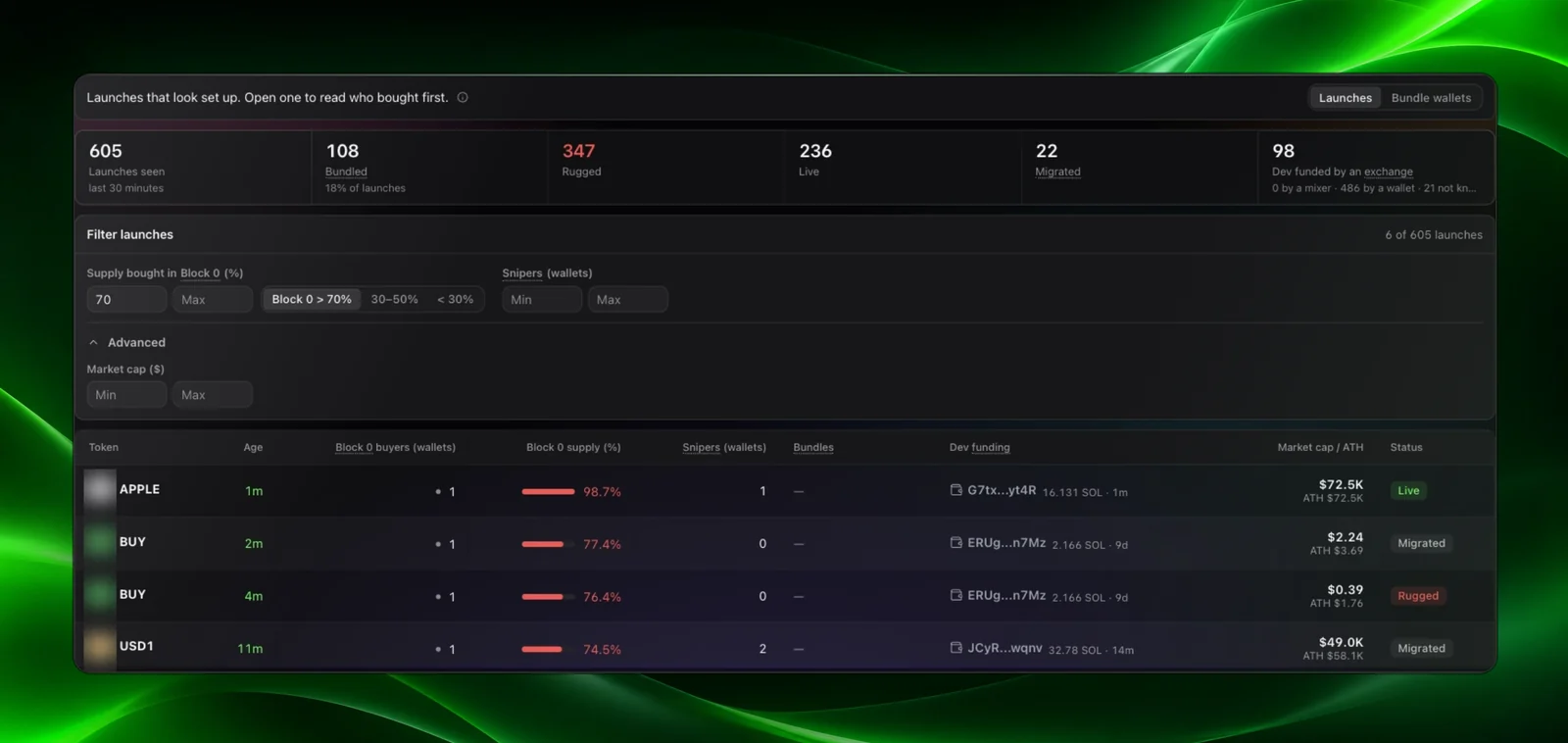
The strip at the top sums up the last 30 minutes: launches seen, bundled launches, rugged, live, migrated, and how many devs were funded by an exchange, by a mixer or by a wallet.
| Filter | What it keeps |
|---|---|
| Supply bought in Block 0 | A % range, or a preset: Block 0 > 70%, 30 to 50%, under 30%. |
| Snipers | How many sniper wallets bought. |
| Market cap (advanced) | A $ range. |
| Column | Reads |
|---|---|
| Block 0 buyers | How many wallets bought in the creation block. |
| Block 0 supply | The share of supply they took. |
| Bundles | Buy bundles and how many wallets in each. |
| Dev funding | Source, SOL amount, and how long before the launch. |
| Market cap / ATH, Status | Where it is now, its high, and whether it is live, migrated or rugged. |
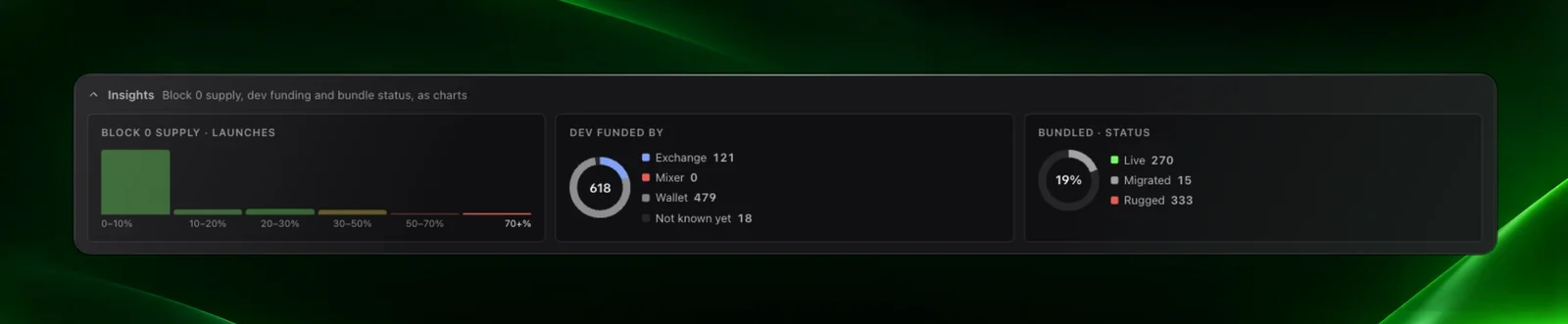
Click a launch to open its Token page on the Bundles tab.
Start with Block 0 > 70%. A launch where a few wallets take most of the supply in the first block was prepared. Open it, read who funded the dev, then check the signature.
Bundle wallets
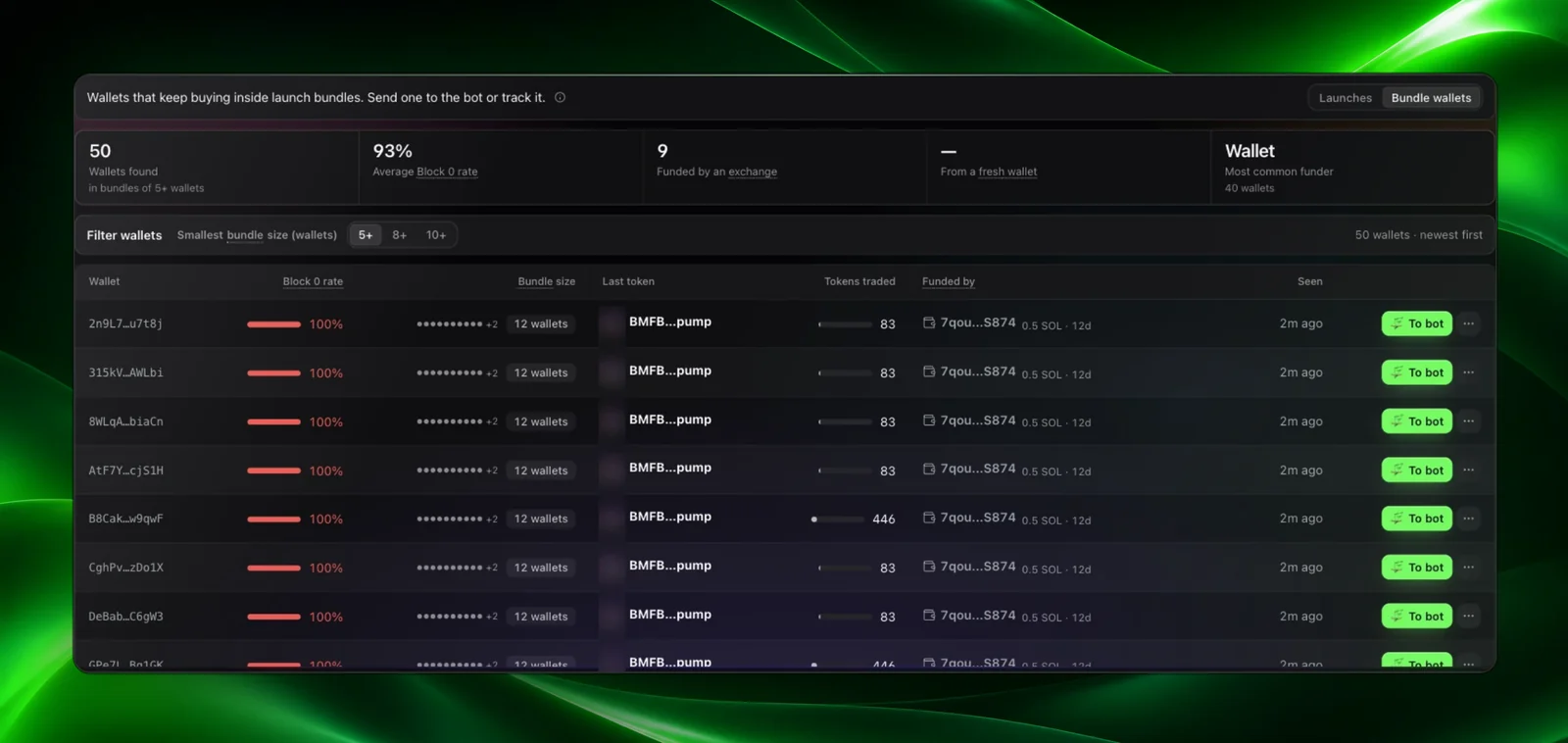
The wallets found in bundles of 5 wallets or more, with their Block 0 rate (how often they buy in the creation block), the bundle size, their last token, how many tokens they traded, who funded them and when they were last seen. Filter by the smallest bundle size: 5+, 8+ or 10+.
Each row has To bot, plus a menu: Track this wallet, Analyze this wallet (opens the Wallet tab) and Backtest their buys.
Wallets of the same bundle belong to one operator. Copy one wallet per network, never several: your bot would buy once per wallet on the same token.